
Welcome to our Dovico Timesheet Spring Release 2026 update.
With the first signs of spring starting to blossom, at Dovico some of our first features of the new season are also starting to show. In this article, we’ll take a look at what you can expect in our release on May 19th.
New Import View
Some of you may be familiar with our existing Import/Export tool shown in the following image.
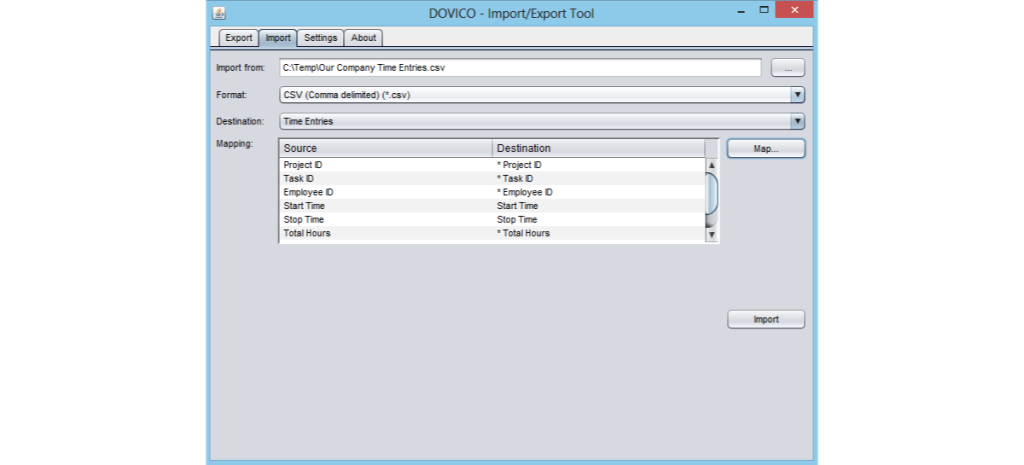
We built the tool with the intention of making the code public. With many organizations using Java at the time, we decided to use Java as well.
The existing tool works but there are aspects that aren’t user friendly like the need to find, download, and install the proper runtime first.
We are pleased to announce that the ability to import your data from a CSV file is now be possible, right in Timesheet, as shown in the following images:
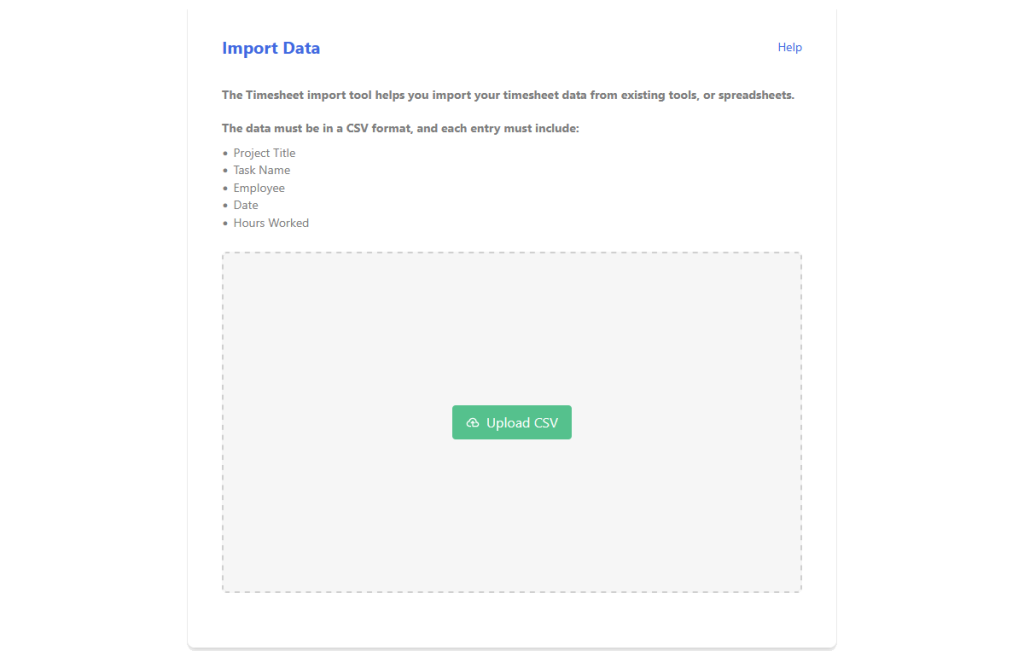
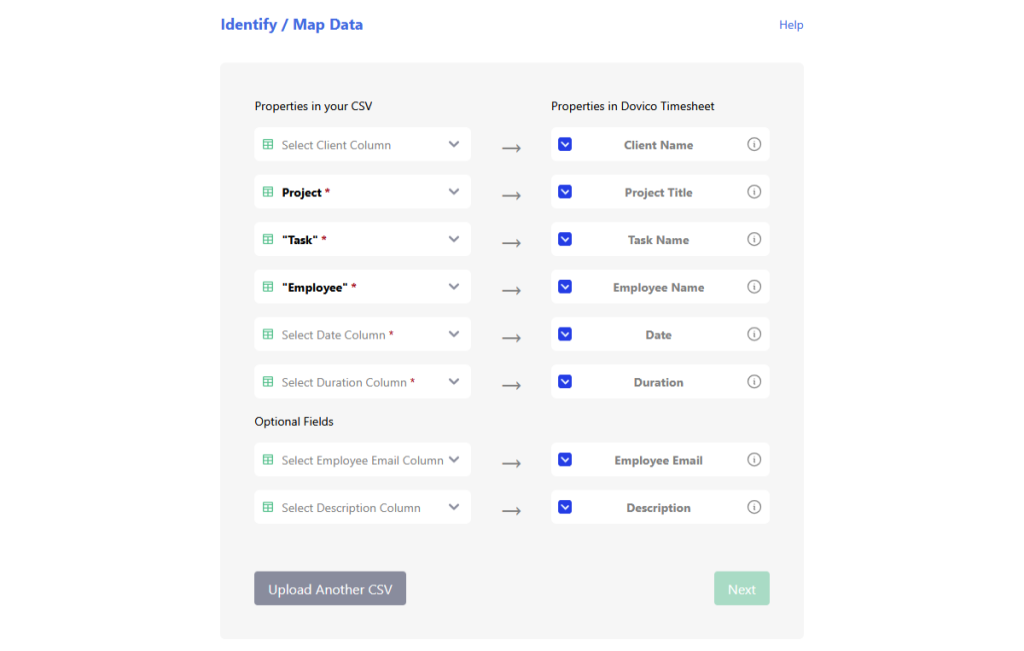
You can access the new Import view via the Setup menu as shown in the following image:
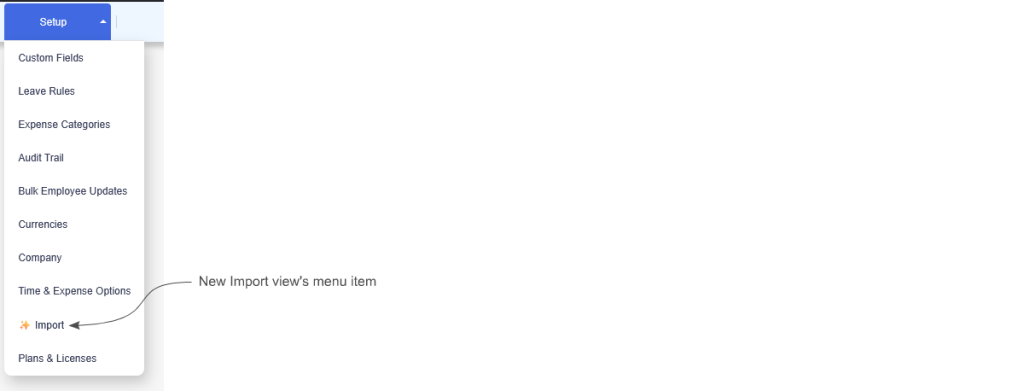
For the moment, the new view only handles importing data. Stay tuned because we’ve already started work on improving the view to include the ability to export as well. In the meantime, however, exporting can be accomplished by using reports or by using the existing Import/Export tool: https://timesheet.dovico.com/apps/importexport
Beta Of Our AI Report Assistant
We’ve been experimenting and validating different ways to incorporate AI into Timesheet to help you get more from the software and your data.
One of the AI features that we’ve landed on is an AI Reporting Assistant. Rather than trying to configure a report manually, the assistant allows you to simply ask questions about your data. The following image shows an example of a question and the resulting data:
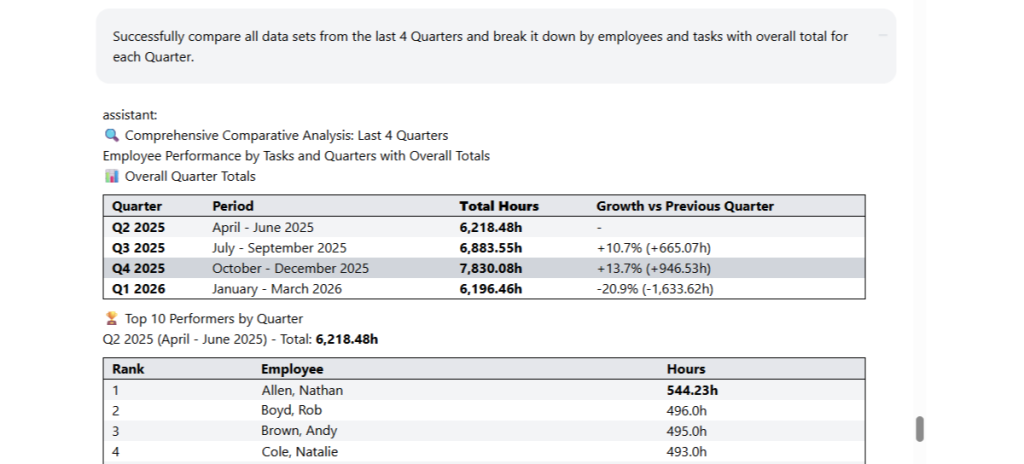
We’re pleased to announce that we intend to start a limited Beta for customers in the United States with this release. If all goes well, a larger rollout will happen. If you’re interested in being added to the list of potential beta testers, you can sign up here: https://api.leadconnectorhq.com/widget/form/UBdaTsvoOfI9dYwQSOA2
Remember My Last View
Some users, myself included, would prefer to be taken to the last view they were in when logging into Timesheet. Currently, if you have access to the Projects view, that’s the view you’re brought to when you log into Timesheet. There is a workaround by editing your menu but that will no longer be necessary with this release.
We’re pleased to announce that we’ve added an option in the user settings view that causes Timesheet to bring you to the last view you were in. The new option is shown in the following image:

In Conclusion
As always, we hope these Dovico Timesheet changes make things a little smoother, allowing you to get more done with less effort.
We value your input. If there is something you’d like to see in Timesheet, or something you feel could be improved, let us know: timesheet.dovico.com/contact
You can also reach out to our support team if you have any questions or concerns: timesheet.dovico.com/support
New to Dovico Timesheet?
These updates are part of our ongoing focus to help teams track time accurately, manage projects more easily, and stay focused on the work that matters.
If you’re not yet using Dovico Timesheet, check out our pricing page where you can sign up for a free 30-day trial to see if it’s right for you: timesheet.dovico.com/pricing
Gerard Gallant,
CIO of Dovico Software
Stay informed!
For more information on how and when regular maintenance is performed on Dovico servers, please check out our Maintenance Window Policy.
Please let us know if you are experiencing any issues with our software or have suggestions about how we can improve your experience by contacting our friendly support team.
Please reach out with any questions or feedback!