If you use Dovico Timesheet and ever find yourself hesitating during project setup, wondering which costing, billing, or rate configuration you’re supposed to use, you’re not alone. We see this challenge come up often, especially for teams managing multiple projects with similar structures.
One product tip we love recommending to Dovico Timesheet clients is creating and using template projects. It’s one of the easiest ways to reduce confusion, save time, and create consistency across your projects.
Why Project Setup Can Feel Complicated in Dovico Timesheet
Dovico Timesheet is intentionally flexible. That flexibility is powerful, but it can also feel overwhelming when you’re still getting comfortable with configurations.
Different project types may require different billing rules, costing methods, rates, or task structures. When you’re creating each project from scratch, it’s easy to pause and think, “Am I setting this up the same way I did last time?” or “Was this project supposed to be billable?”
Template projects remove that uncertainty.
What Is a Template Project in Dovico Timesheet
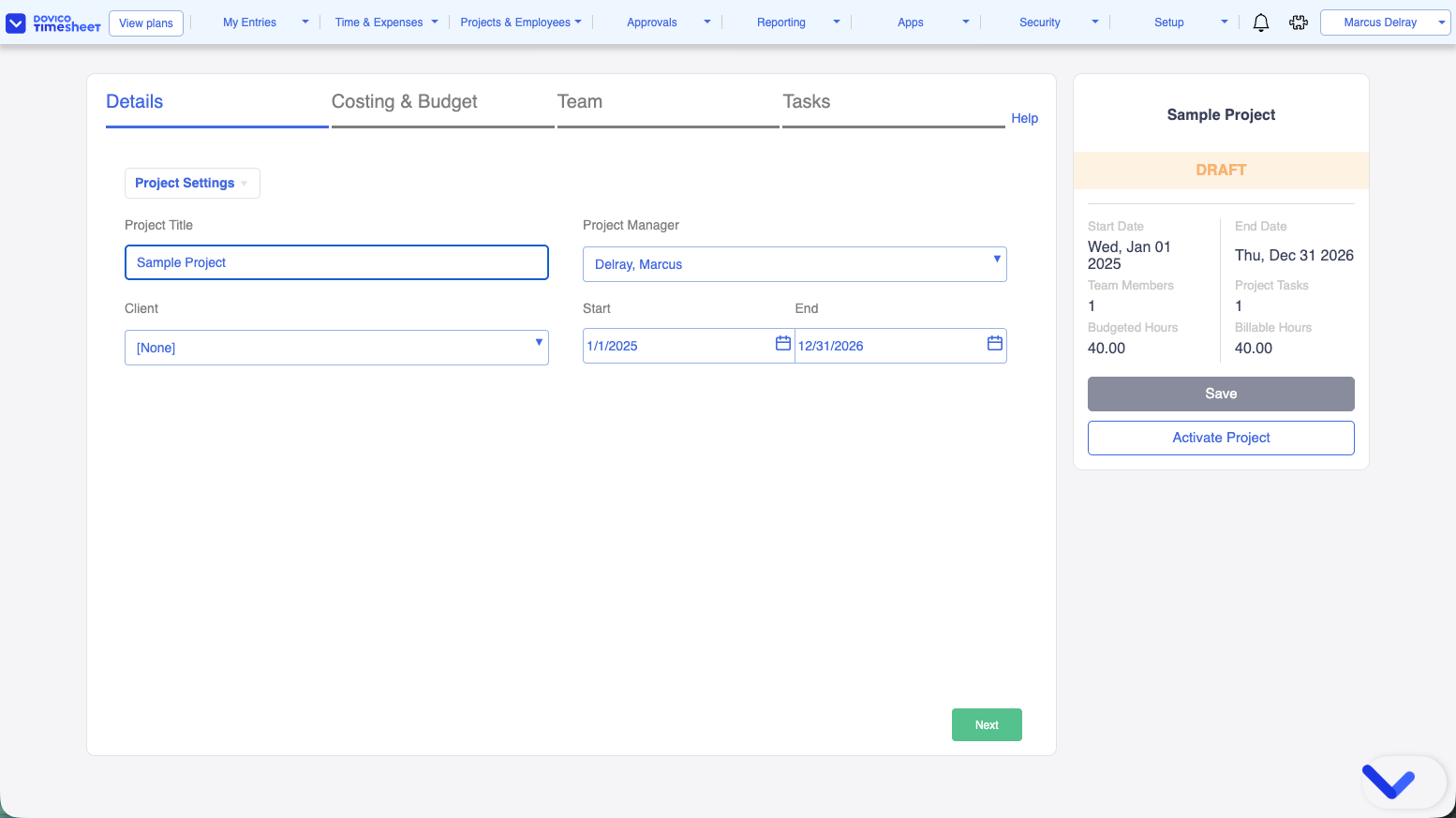
In Dovico Timesheet, a template project is simply a project that’s fully configured but left in draft status.
Your template can include:
- Your preferred costing and billing configuration
- Standard tasks or phases
- Assigned teams or roles
- Default rates
Because the project remains in draft, it won’t appear for time entry. Instead, it becomes a reusable starting point you can copy whenever you need to create a similar project.
How Template Projects Work in Practice
Let’s say you regularly create the same types of projects, client onboarding, fixed-fee engagements, internal initiatives, or monthly retainers. While the client or timeline changes, the structure usually stays the same.
You can create a Dovico Timesheet project with all the correct configurations, tasks, teams, and rates for that project type. Once everything looks right, you leave it in draft and clearly label it as a template.
The next time you need that project type, you simply copy the template project, rename it, make a few small tweaks to fit the specific client or situation, and activate it. What once required careful setup and double-checking now takes just a few minutes.
Why Templates Make Such a Big Difference
Templates save time right away. Instead of rebuilding configurations, you’re starting from something that already works.
They also create consistency. When similar projects are set up the same way every time, your reports are easier to trust, costs are easier to analyze, and billing is more predictable.
Most importantly, templates help prevent setup mistakes. A small configuration error can have a ripple effect later, and templates significantly reduce that risk.
What Makes a Strong Dovico Timesheet Template Project
A good template project is intentional. It’s designed to guide future projects, not just act as a shortcut.
Clear task names help users know exactly where to log time. Standard teams or roles make assignments quicker. Including a short project description can also explain the purpose of the template and when it should be used. One simple but effective habit is using clear naming conventions like
TEMPLATE – Client Onboarding (Time & Materials).
That clarity helps everyone immediately understand what the template is for.
Why ‘Draft’ Status Is Key
Keeping template projects in draft status is essential in Dovico Timesheet.
Draft projects can’t receive time entries, which means your templates stay clean and untouched. They’re always available to copy, but never accidentally used for real work.
Think of draft templates as your project blueprint library; reliable, organized, and ready whenever you need them.
Start Small and Build from There
You don’t need dozens of templates right away. Start with one or two of your most common project types and use them consistently.
As your processes evolve, you can refine your templates to match. They’re meant to grow with your team, not lock you into a rigid structure.
Final Thoughts
Template projects in Dovico Timesheet give you a dependable foundation. They simplify project setup, reduce confusion around configurations, and help your team spend less time setting up projects and more time delivering great work.
If project configuration has ever slowed you down or caused uncertainty, template projects are one of the quickest wins you can implement. And if you’d like help setting them up or tailoring them to your workflows, our team is always happy to guide you.
If you’re curious how template projects work in your own setup, the easiest way to explore is to try them firsthand. A free trial of Dovico Timesheet gives you full access to project configurations, so you can experiment with templates at your own pace and see what works best for your team.
Start your free trial of Dovico Timesheet today and make project setup one less thing to think about.